

TikTok UTMs Setup
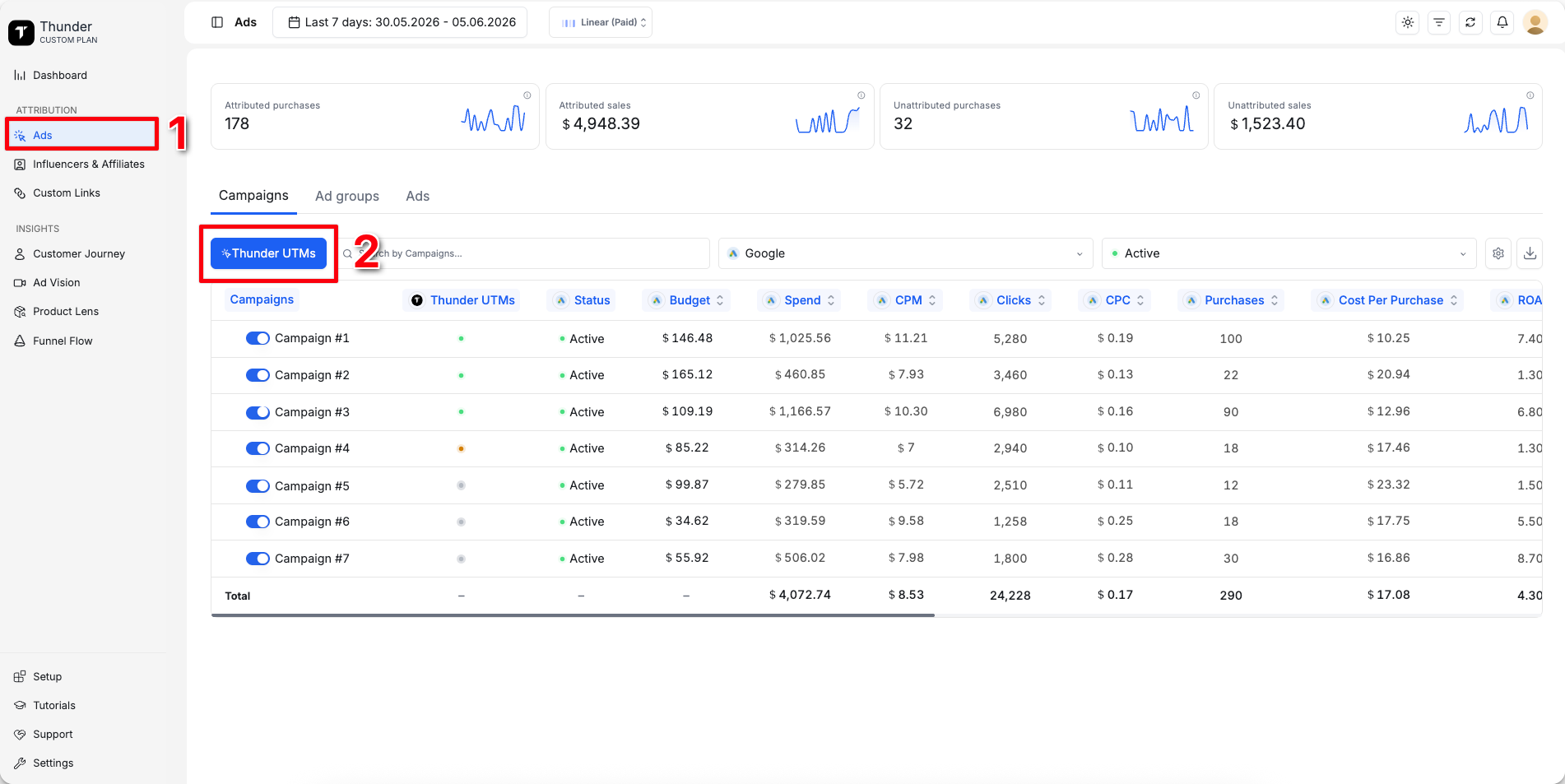
- 1
Go to Ads
- 2
Click Thunder UTMs
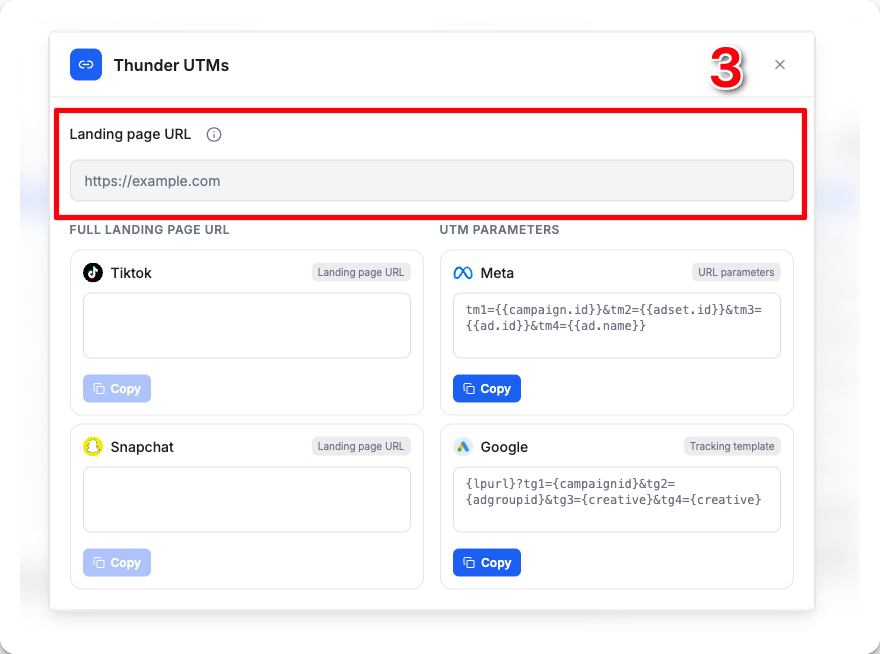
- 3
Paste your landing page URL into ThunderL
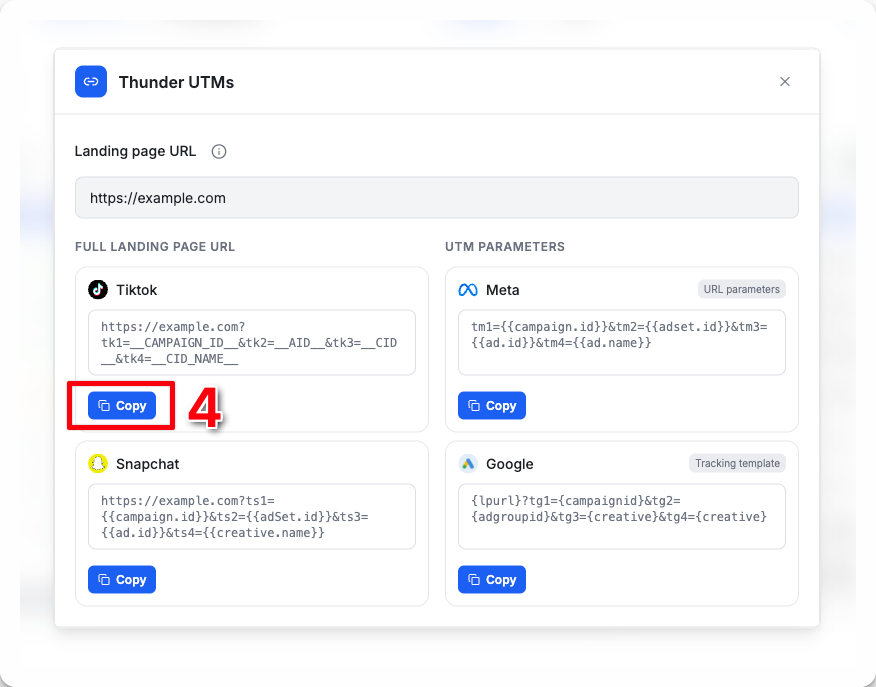
- 4
Thunder will generate a ready-to-use URL with the required TikTok UTMs included
tk1=CAMPAIGN_ID&tk2=AID&tk3=CID&tk4=CID_NAMEClick Copy
- 5
Open TikTok Ads Manager, select the ad you want to track, then scroll down to the Destination URL
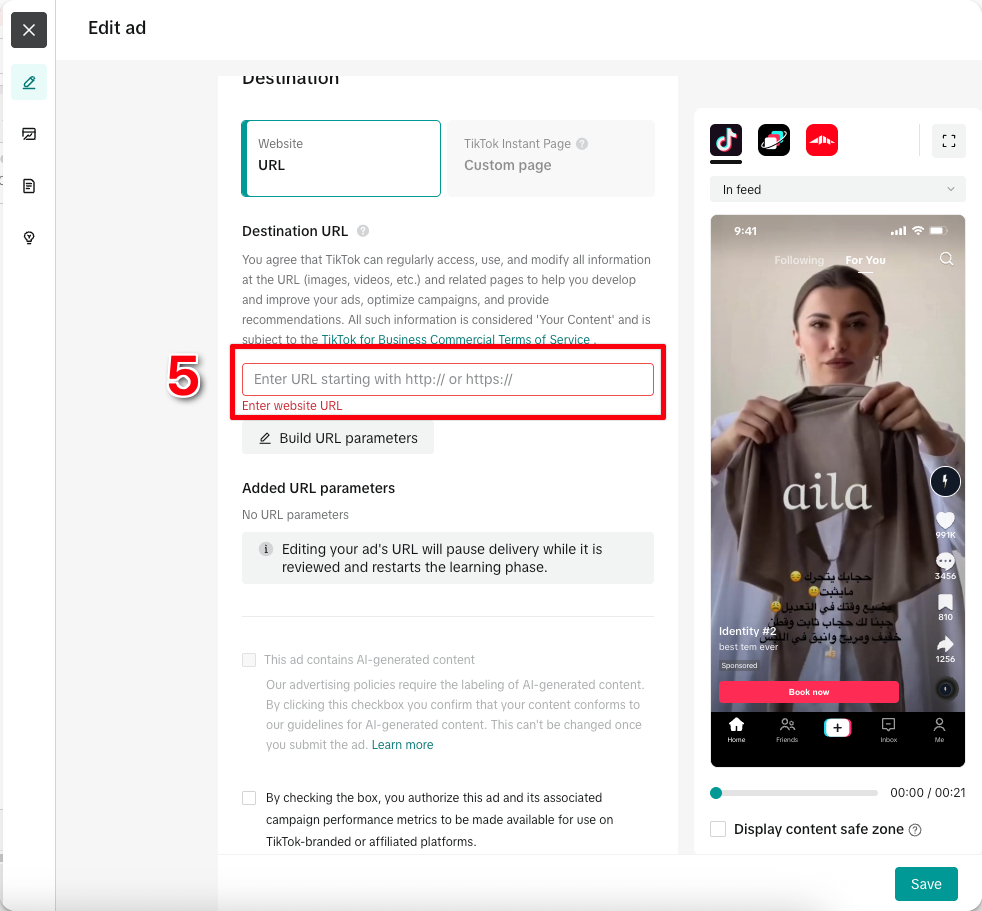
- 6
Paste your Thunder landing page URL into the Destination URL
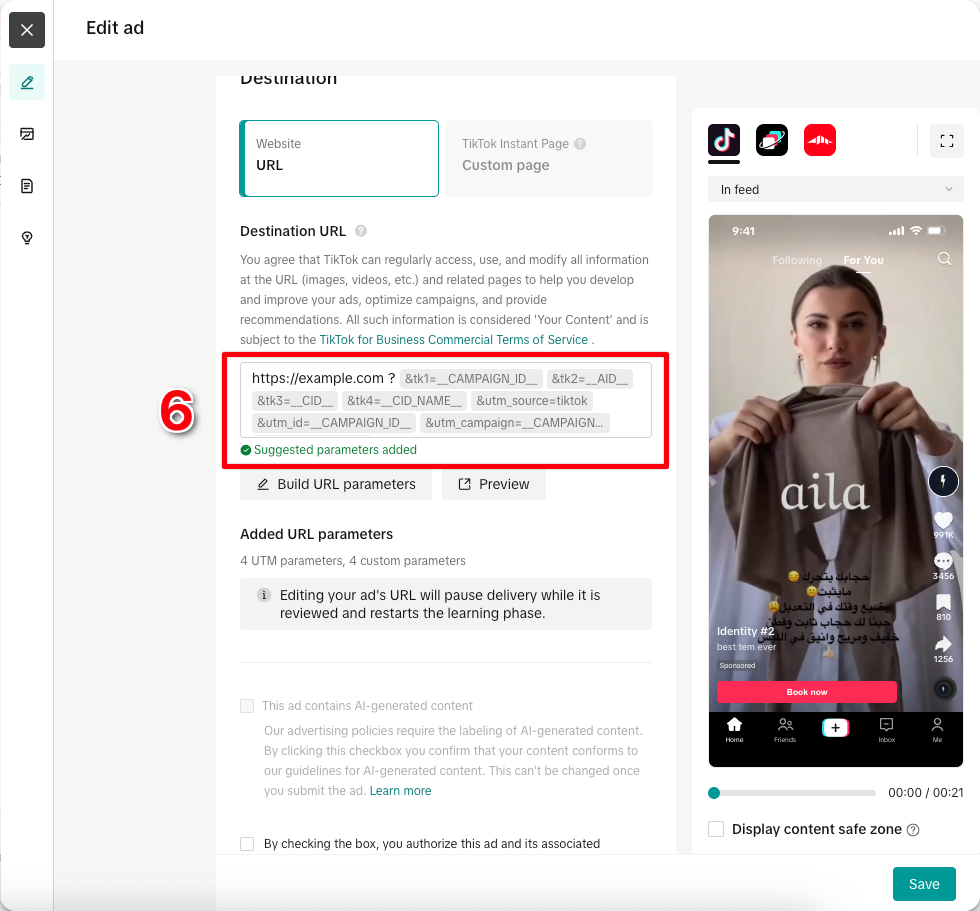
You're all set. Thunder will now accurately attribute purchases from this ad