

Meta UTMs Setup
- 1
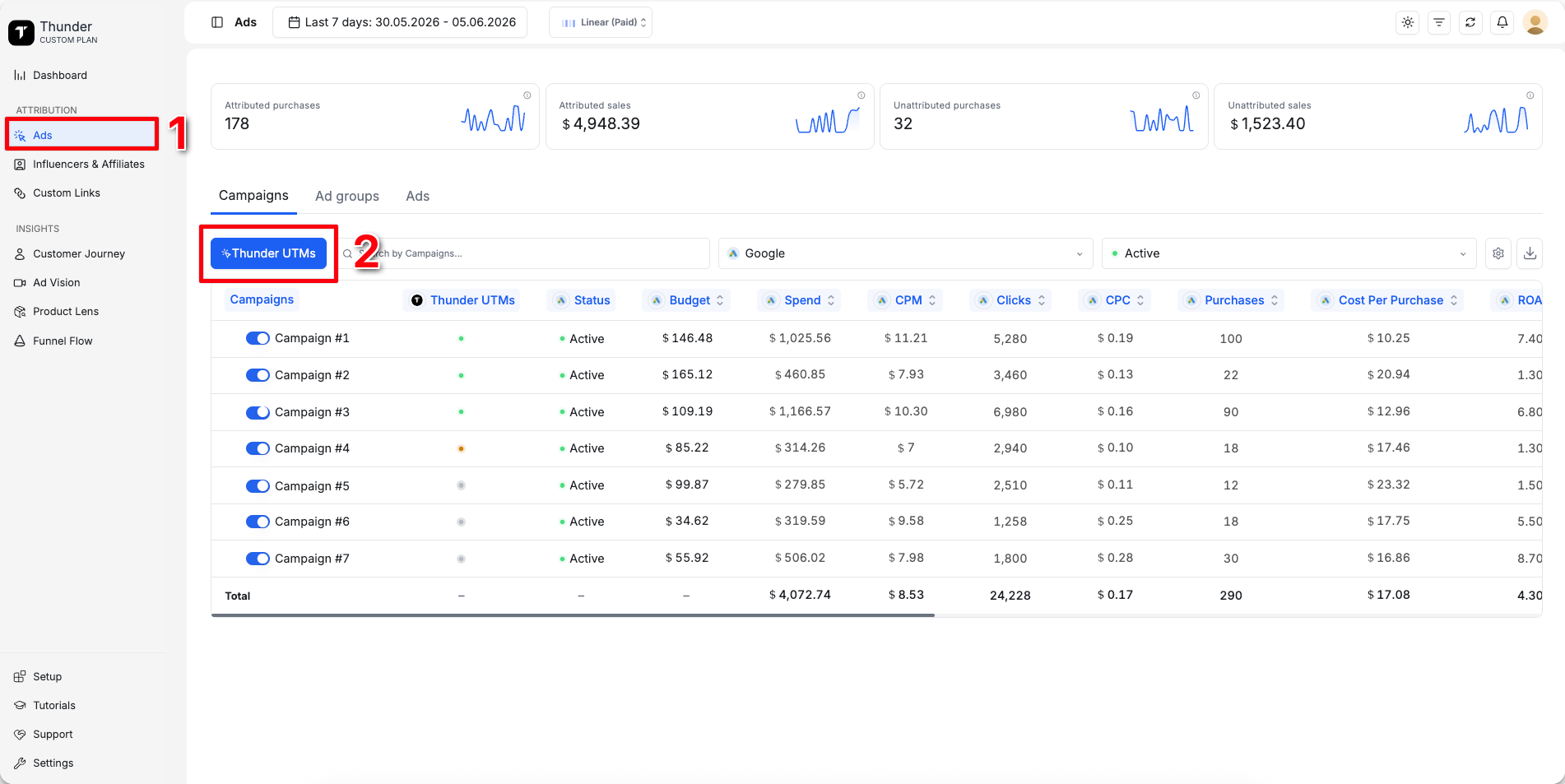
Go to Ads
- 2
Click Thunder UTMs
- 3
Copy Meta UTMs:
tm1={{campaign.id}}&tm2={{adset.id}}&tm3={{ad.id}}&tm4={{ad.name}}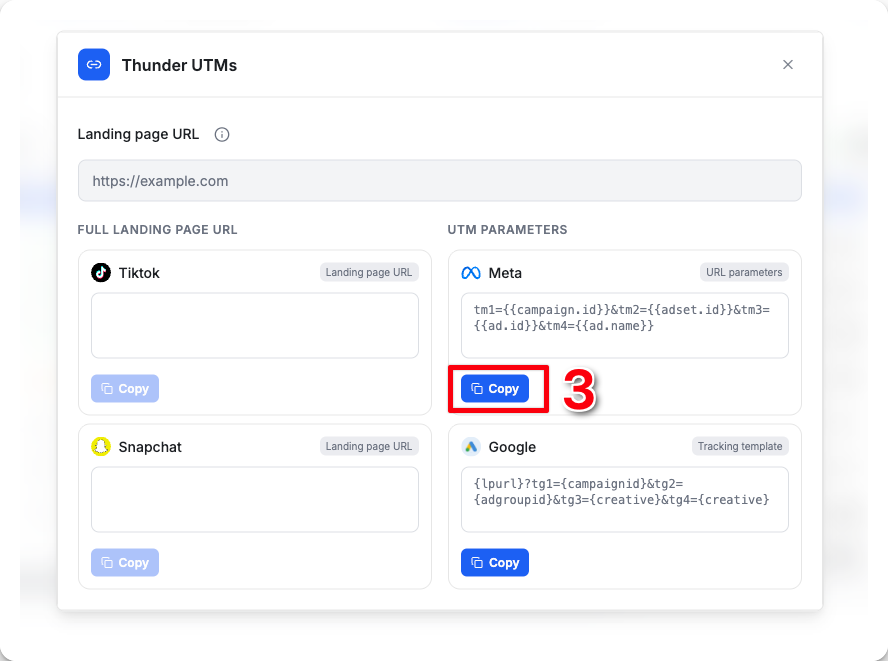
- 4
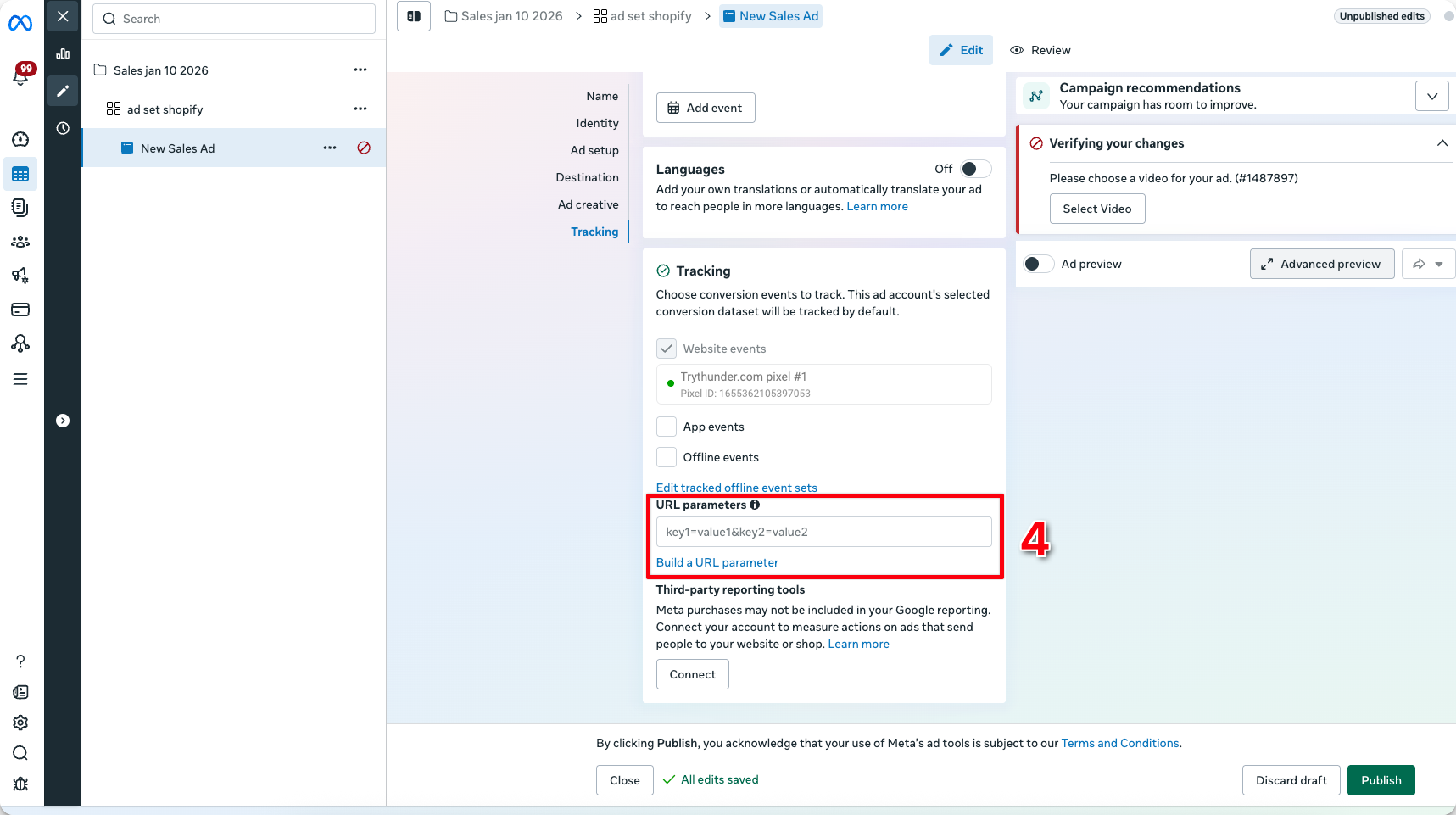
Open Meta Ads Manager, select the ad you want to track, then scroll down to the URL Parameters field
- 5
Paste Thunder UTMs into the URL parameters field
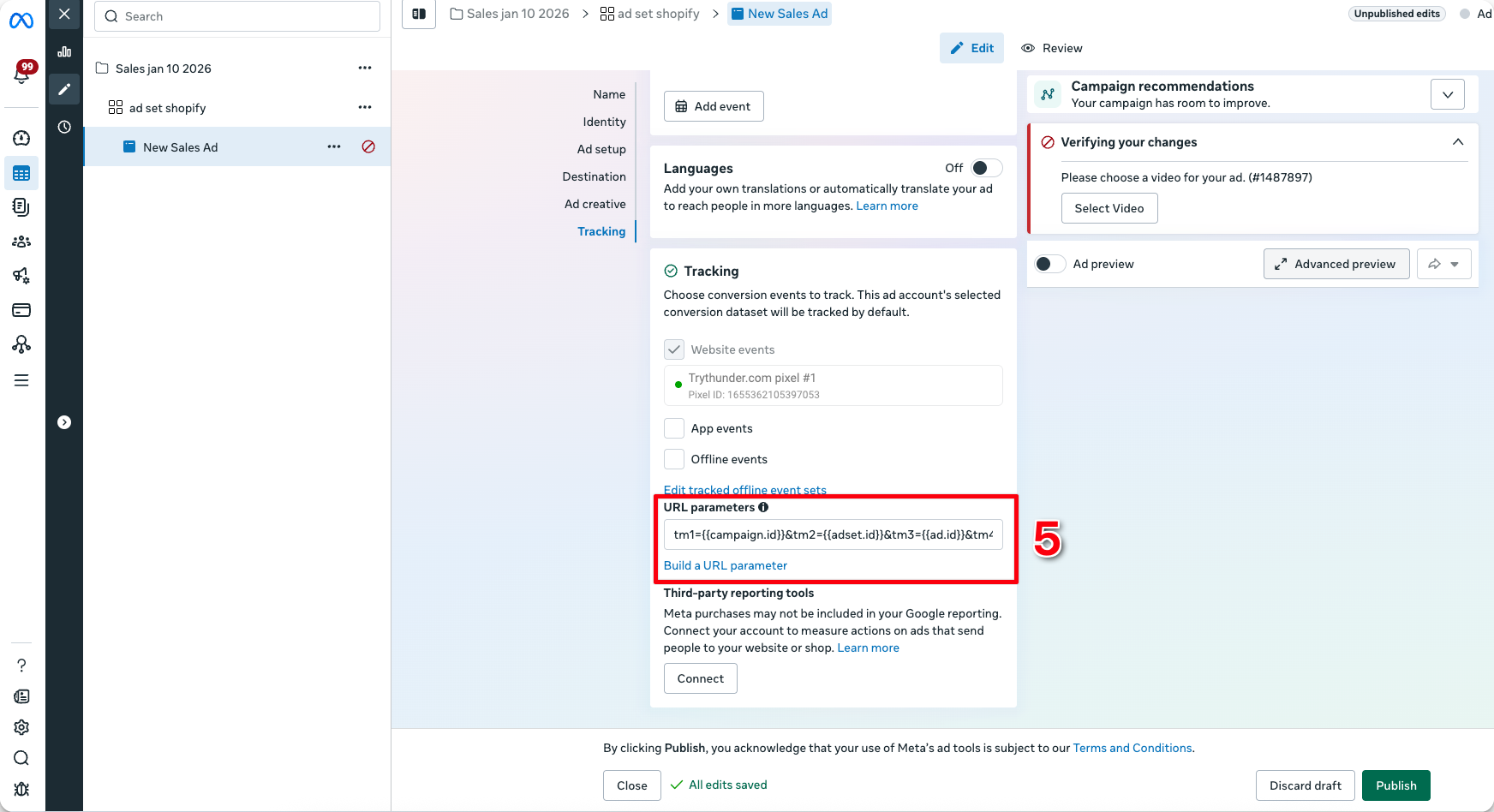
You're all set. Thunder will now accurately attribute purchases from this ad