

Connect WhatsApp Business
Prerequisite: Connect your Meta Ads account before connecting WhatsApp Business
- 1
- 2
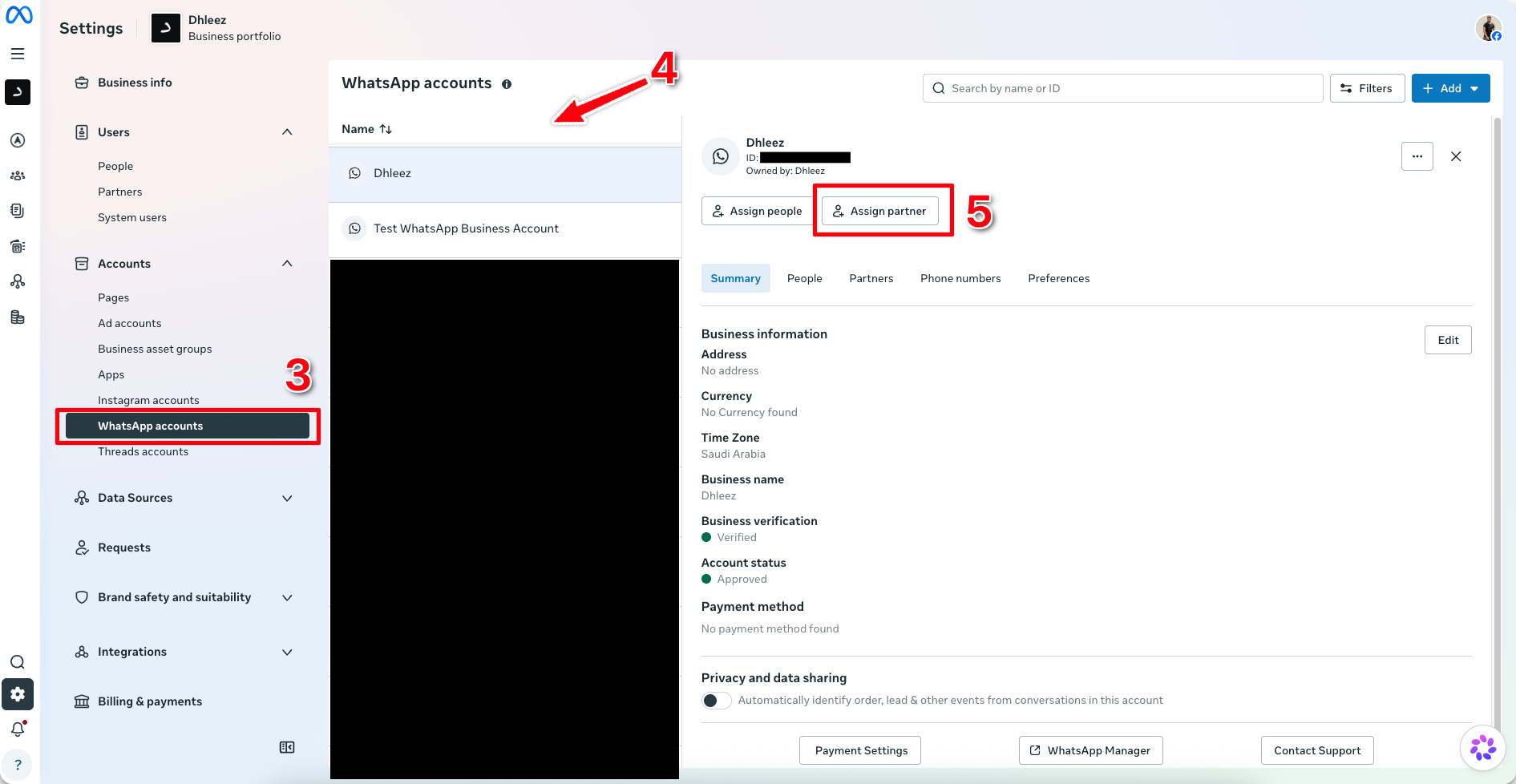
Click WhatsApp Accounts
- 3
Select the WhatsApp Account you would like to connect
- 4
Click Assign Partner
- 5
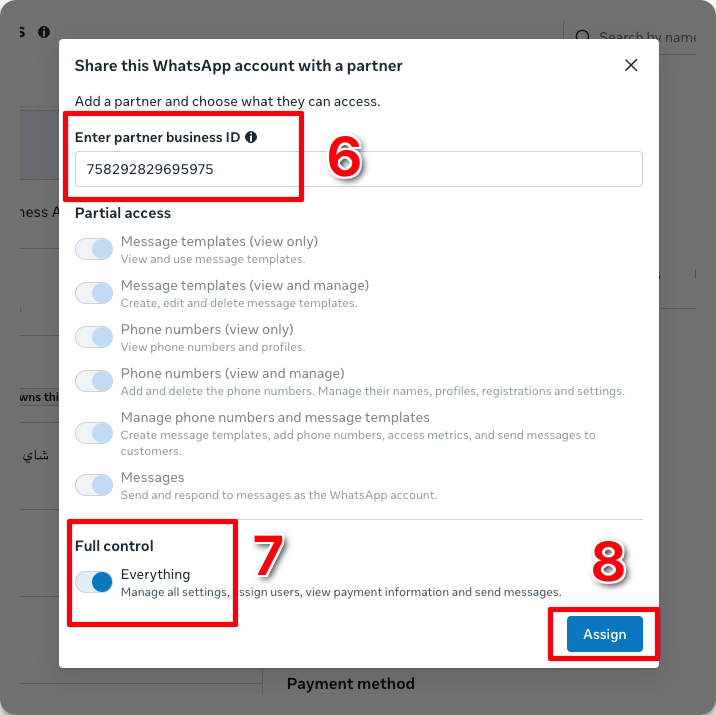
Enter our business ID
758292829695975 - 6
Toggle the Everything option
- 7
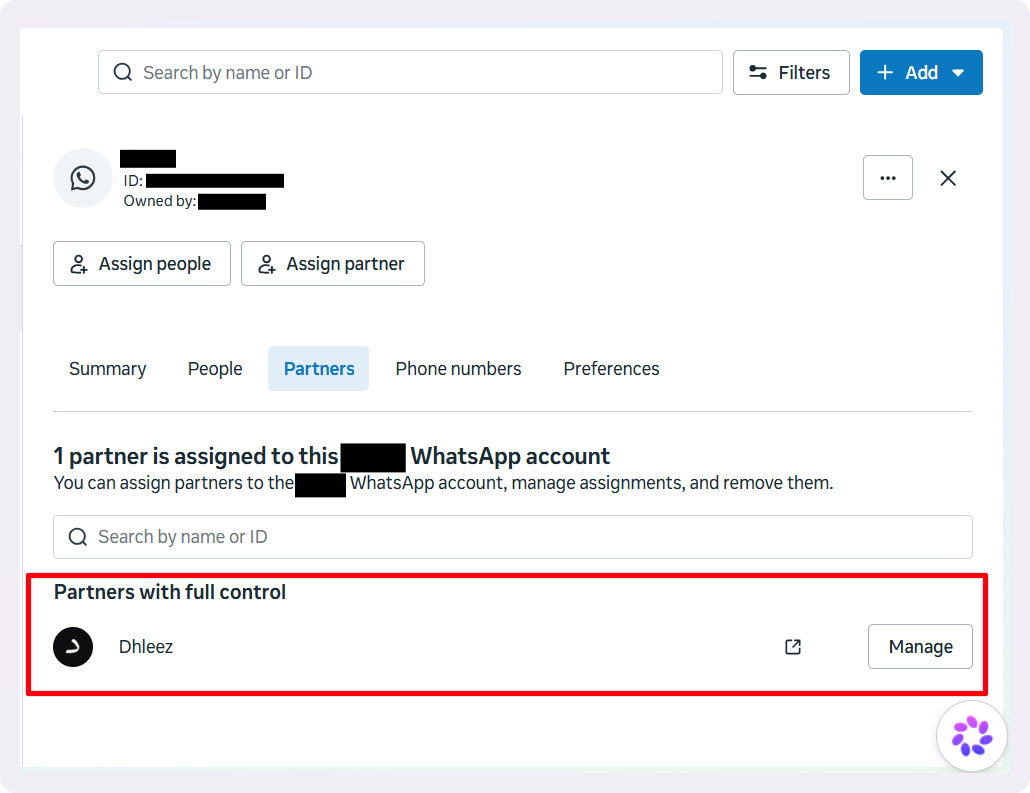
Click Assign
- 8
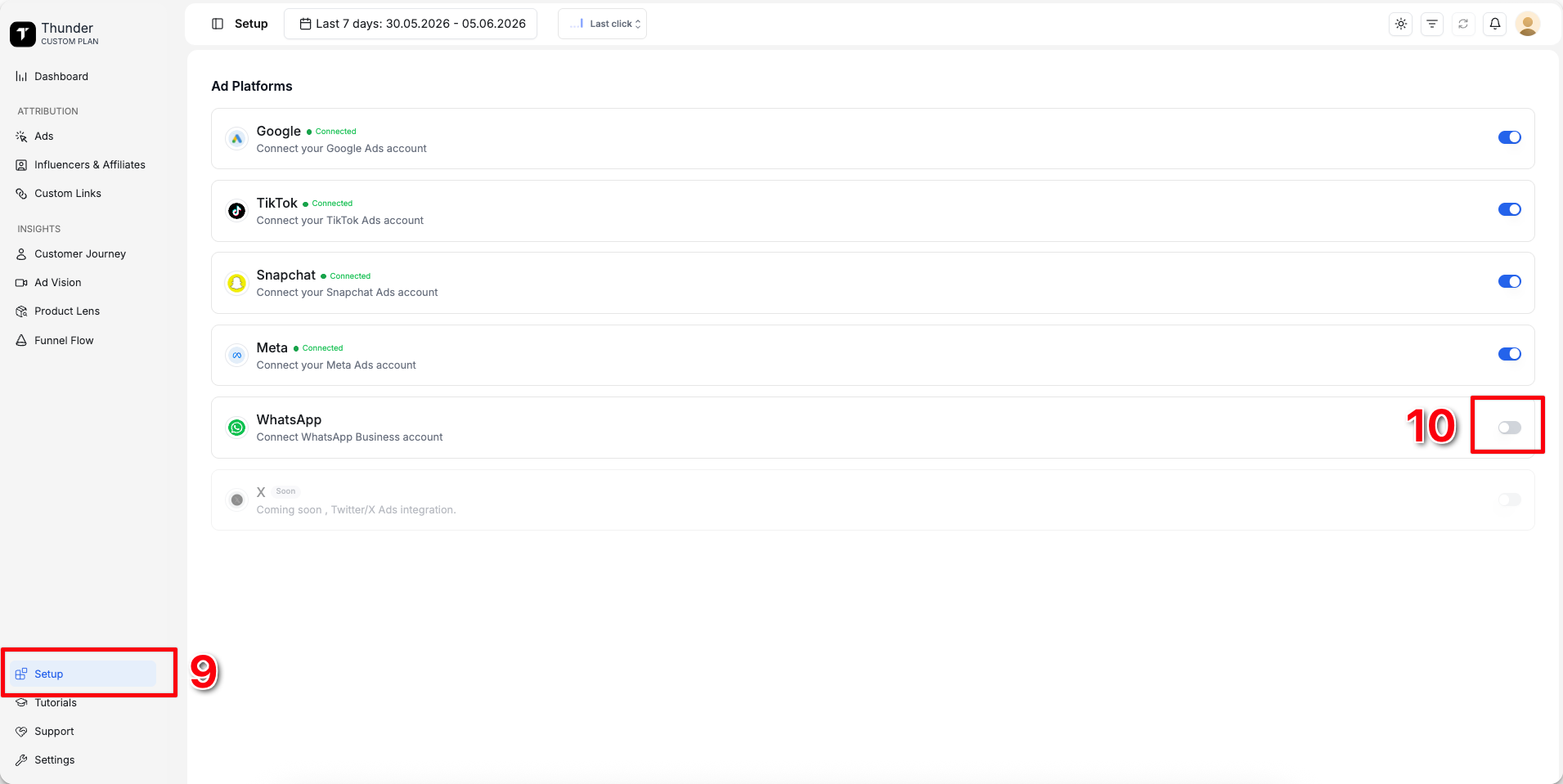
Go to Setup
- 9
Connect WhatsApp
- 10
Click Continue
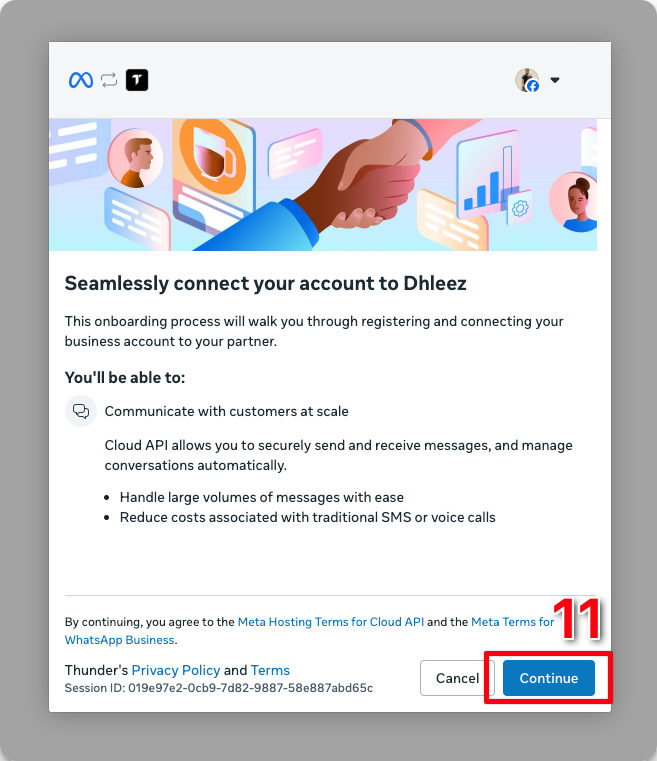
- 11
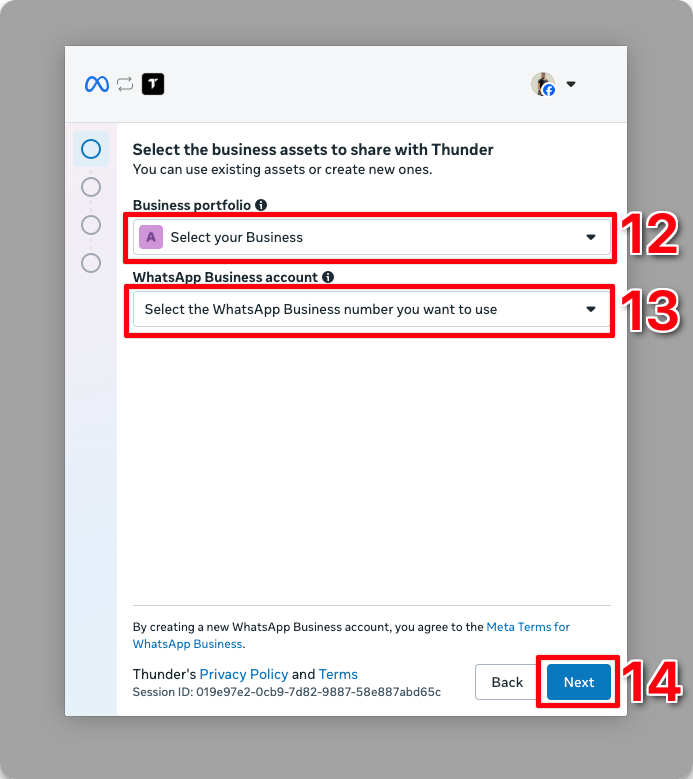
Select the business that has access to the WhatsApp number
- 12
Select the WhatsApp business number you'd like to use
- 13
Click Next
You're all set
Important: After completing all the steps above, go to Settings and verify that the connected WhatsApp number is the one you intend to use. If it isn't, disconnect WhatsApp and reconnect the correct number