
Connect Meta Ads
- 1
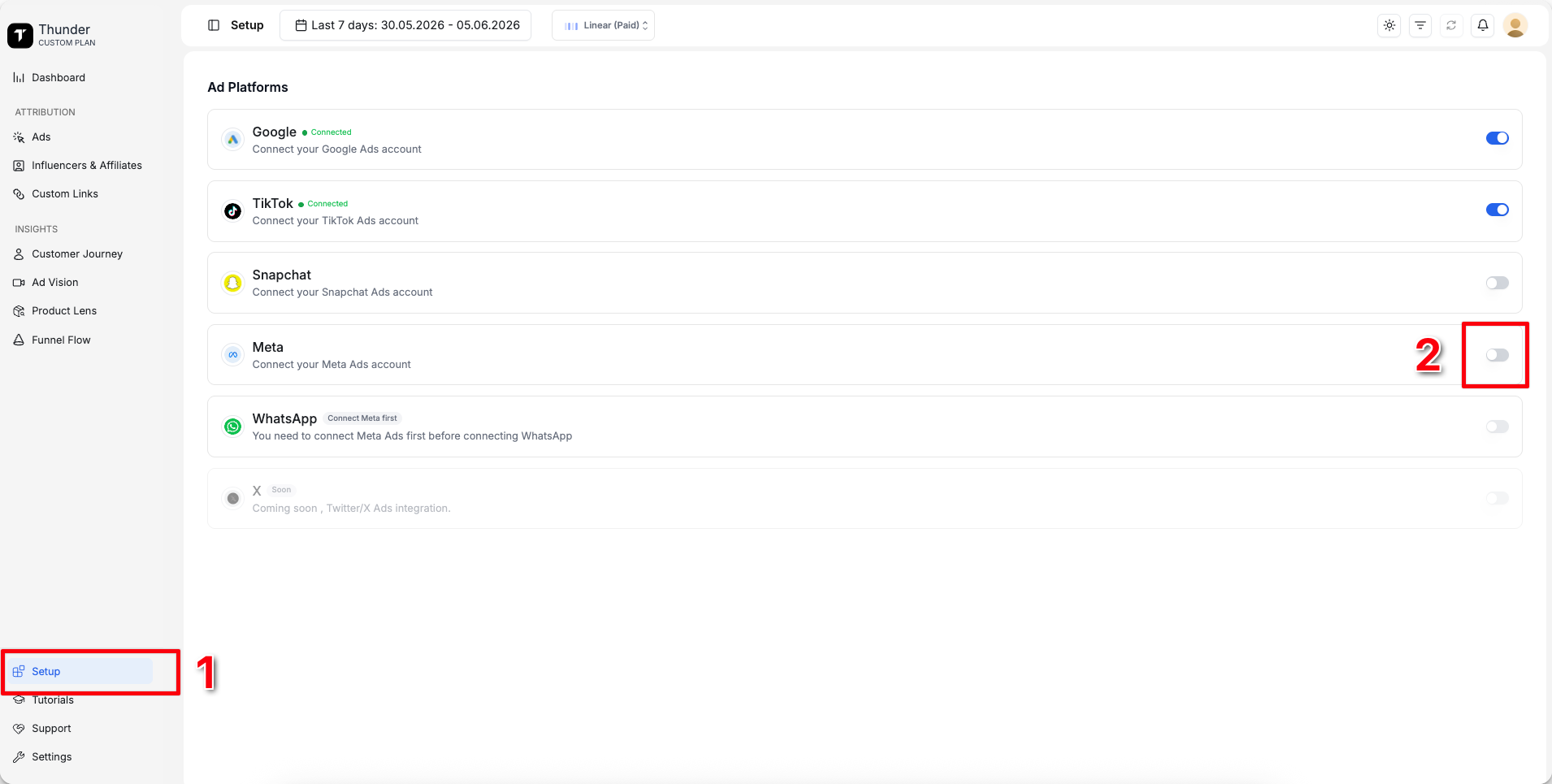
Go to Setup
- 2
Connect Meta
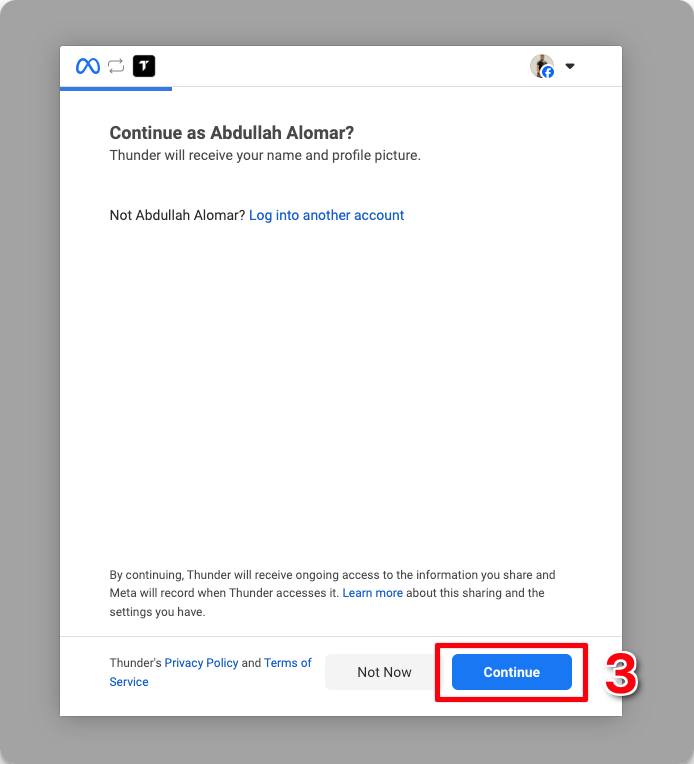
- 3
Click Continue
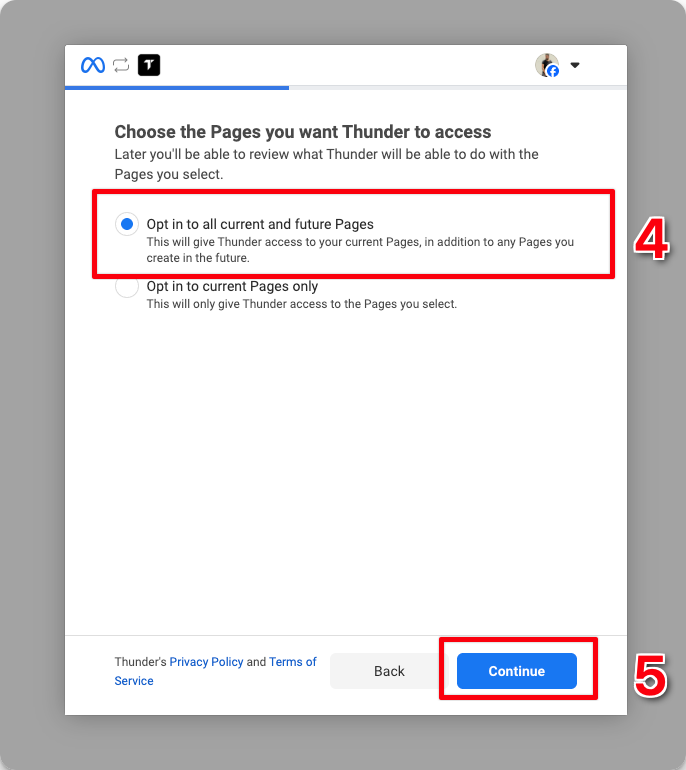
- 4
Select the first option
- 5
Click Continue
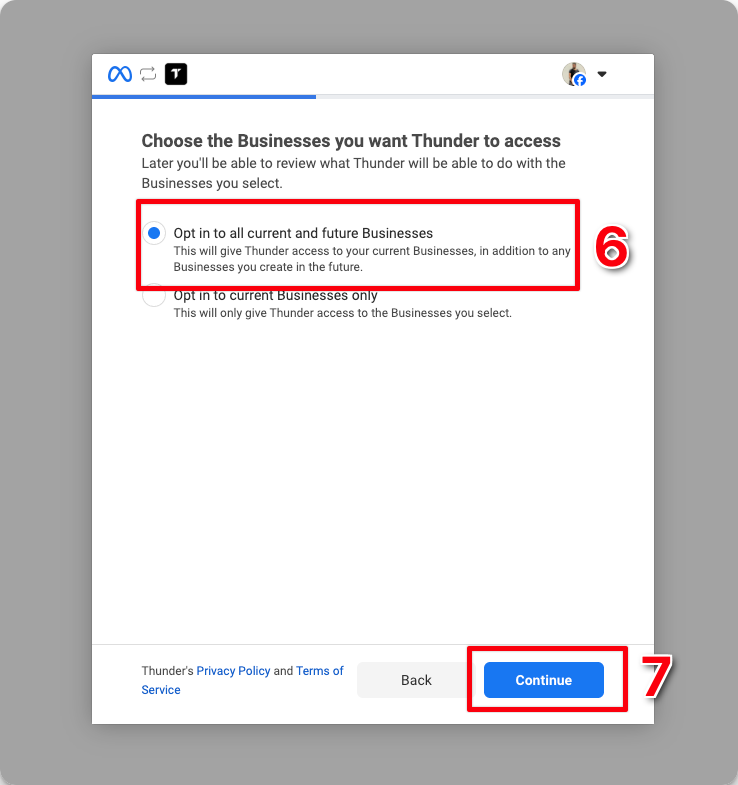
- 6
Select the first option
- 7
Click Continue
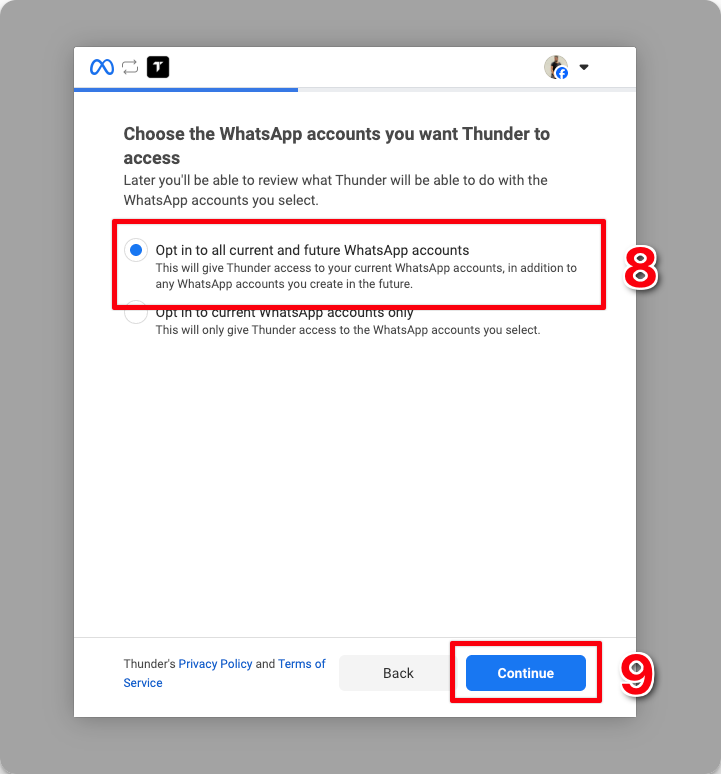
- 8
Select the first option
- 9
Click Continue
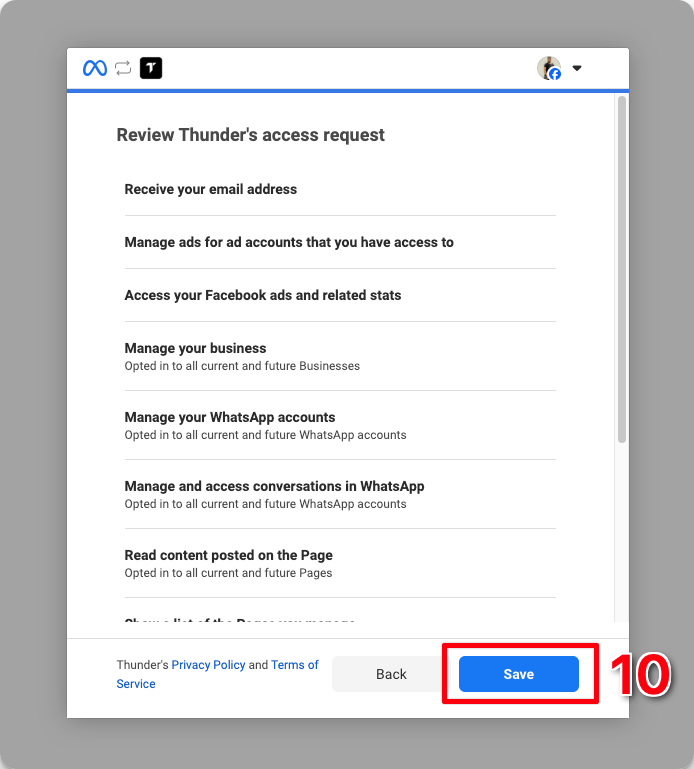
- 10
Click Save
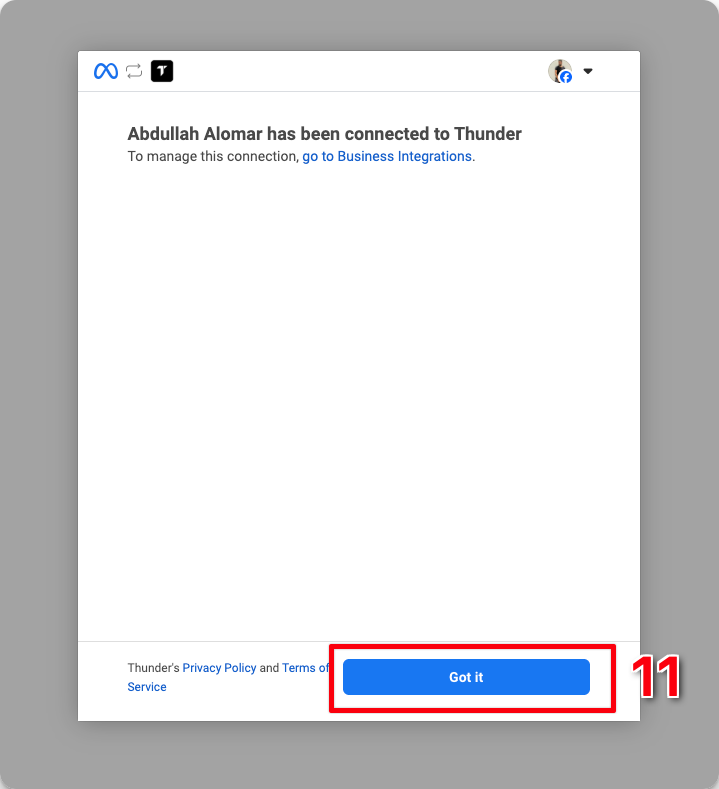
- 11
Click Got it
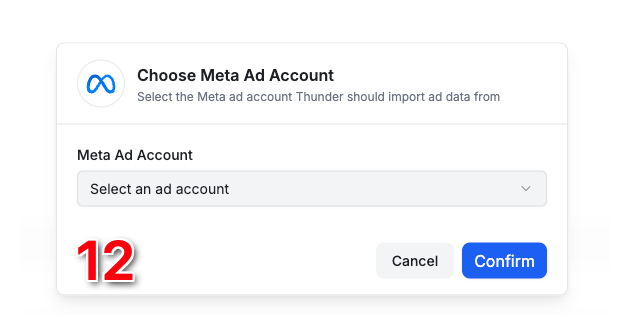
- 12
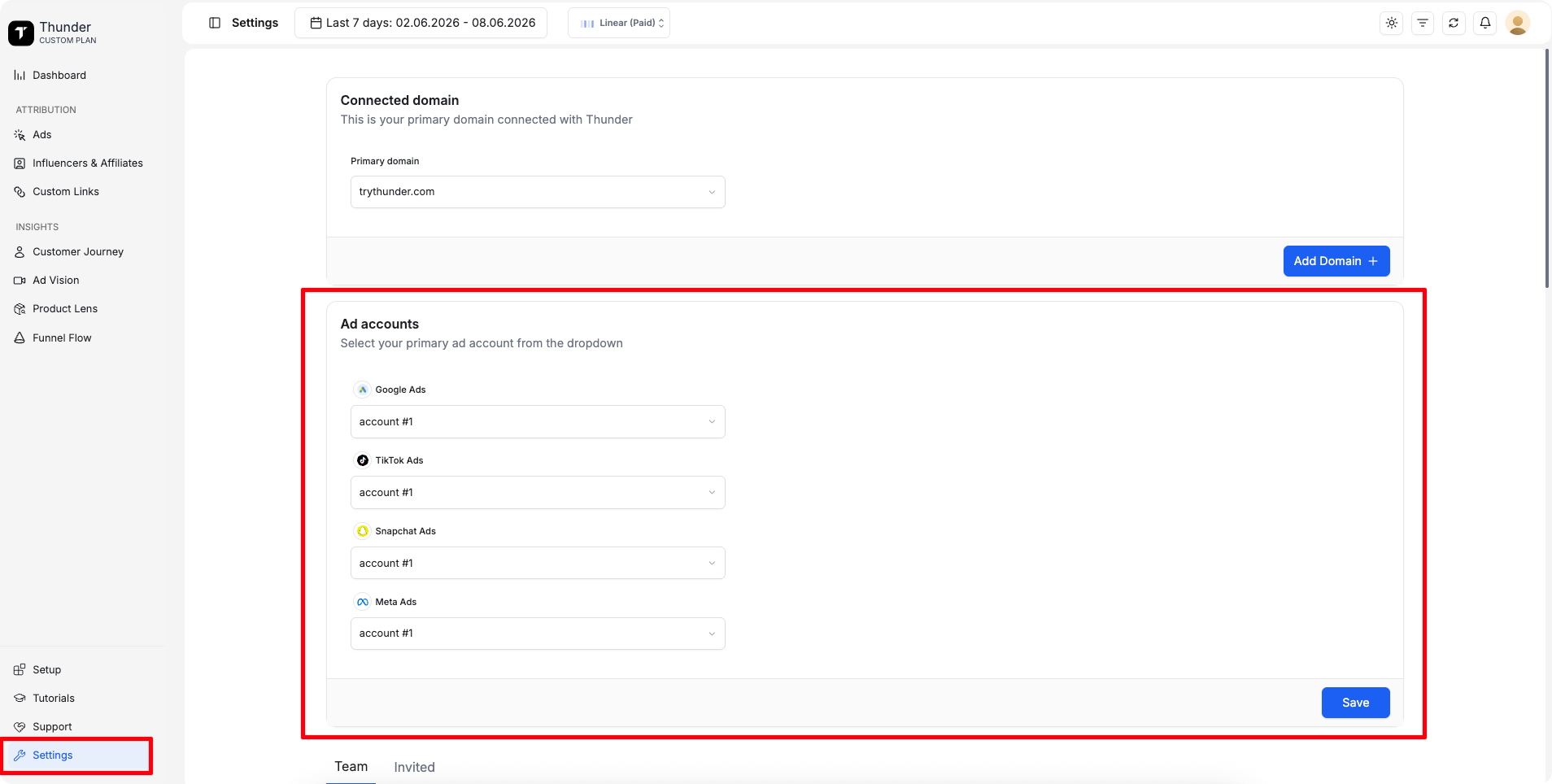
Select the main Meta ad account you would like to use in Thunder
You're all set
Note: You can change the selected ad account anytime from Settings > Ad Accounts.